Short video ads with Google Veo 3.1
Veo 3.1 is Google's video model with native audio. Iris offers it for tight 4, 6 or 8 second clips in vertical or widescreen, guided by up to 3 reference images.
Best for
Hooks and bumpers
Clips of 4 to 8 seconds suit an opening hook, a Story or a short pre-roll spot.
Scenes with sound built in
Picture and audio arrive together, so a short scene plays finished without a separate sound pass.
A clear, simple brief
Three lengths and two aspect ratios keep the choices small when you already know the shot you want.
Made with Veo 3.1 in Iris
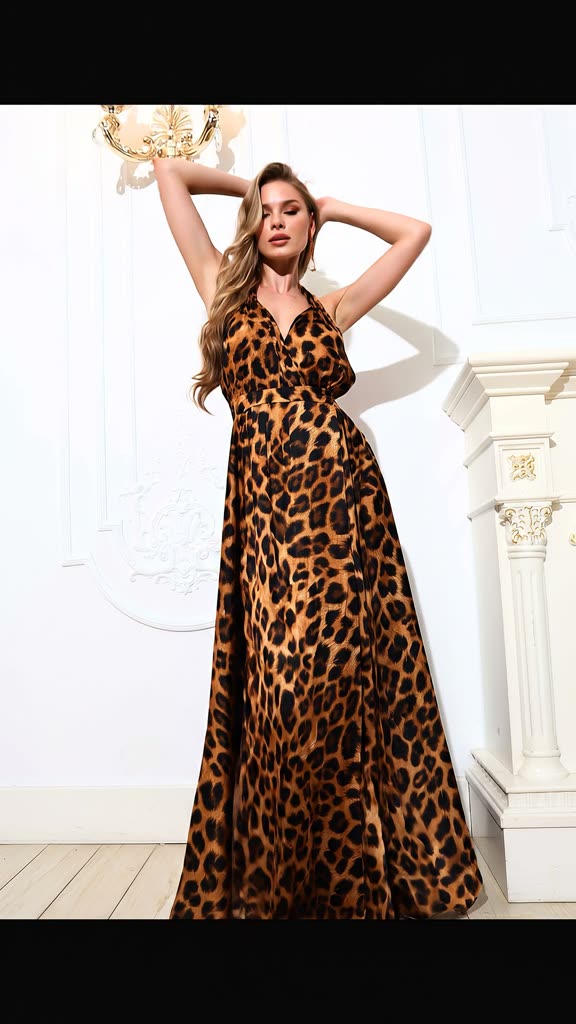
Mirela: leopard print dress, 8 seconds, 9:16
Veo 3.1 specs
| Type | Video with native audio |
|---|---|
| Length | 4, 6 or 8 seconds |
| Resolution | 720p, 1080p |
| Aspect ratios | 16:9, 9:16 |
| Audio | Native |
| References | Up to 3 images |
| Also in Iris | Veo 3 Fast: same lengths, no reference images |
Make an ad with Veo 3.1 in Iris
Pick the format
Choose 9:16 for Reels and Stories, or 16:9 for YouTube and web placements.
Add up to 3 images
Use your clearest product or location shots so Veo has something real to hold on to.
Describe one moment
Eight seconds is one idea. Write the action, the camera and the sound for that single beat.
When to pick another model
- For anything past 8 seconds, Seedance 2.5 renders up to 30 in one pass.
- Square 1:1 is not available on Veo 3.1 in Iris. Seedance 2.5 offers it.
- If the product needs more than 3 reference images, Seedance 2.5 takes up to 30.
Veo 3.1 questions
You can choose 4, 6 or 8 seconds.
Keep reading
Make your first ad with Veo 3.1
Sign up, upload one product photo and choose Veo 3.1 in Iris.
Last updated