Product photography with Nano Banana Pro
Nano Banana Pro is Google's image generation model, and the image model in Iris that takes the most references: up to 14 images, so a whole set of product and location shots can guide a single picture.
Best for
Lifestyle shots of real products
Place a product in a new scene while the reference photos keep it recognisable.
Campaigns built from many inputs
Fourteen references leave room for the product, the model, the location and a mood image together.
Several crops of one idea
Render the same scene at 9:16, 1:1 and 16:9 for Stories, feed and web.
Made with Nano Banana Pro in Iris
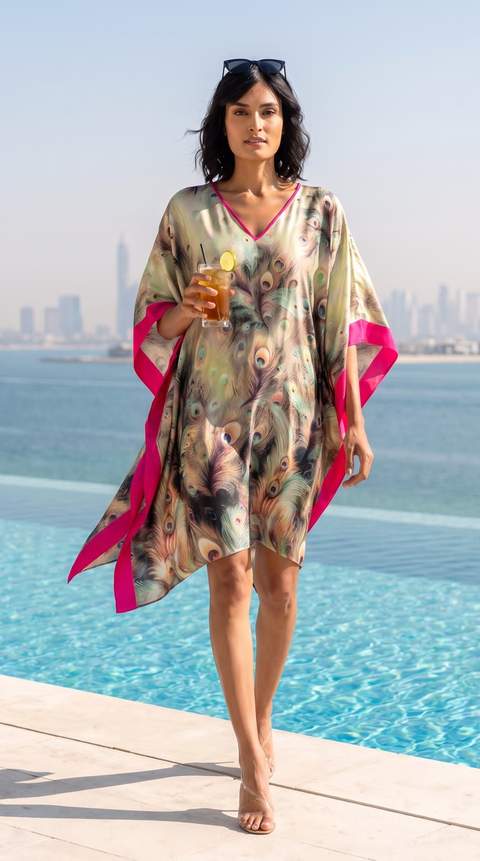
Mirela: poolside kaftan, 9:16 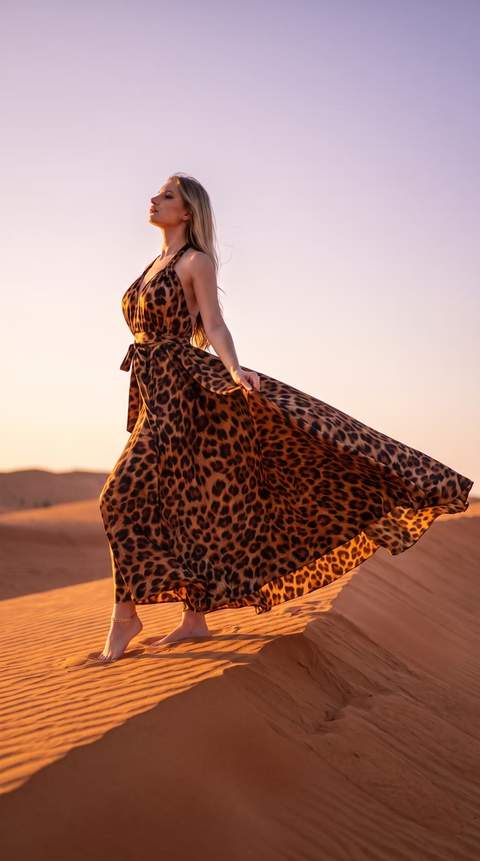
Mirela: desert wrap, 9:16 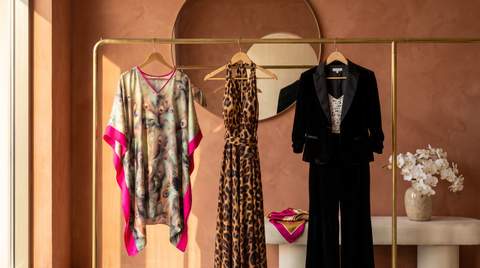
Mirela: boutique, 16:9 
Mirela: rooftop tuxedo, 16:9
Nano Banana Pro specs
| Type | Image generation |
|---|---|
| Aspect ratios | 16:9, 1:1, 9:16 |
| References | Up to 14 images |
| Prompt length | Up to 32,000 characters |
Make an ad with Nano Banana Pro in Iris
Gather the set
Collect product angles first, then add a location or mood reference if you have one.
Name the scene
Describe the setting, the light and who is in it, and say the product must stay unchanged.
Render each placement
Repeat the brief at 9:16, 1:1 and 16:9 so every placement has its own crop.
When to pick another model
- For a headline inside the image, GPT Image 2.5 Flare is described for sharp text.
- For higher resolution, Flux 2 Pro goes up to 4MP.
Nano Banana Pro questions
It is Google's image generation model, and in Iris it is the pick for product photography.
Keep reading
Make your first ad with Nano Banana Pro
Sign up, upload one product photo and choose Nano Banana Pro in Iris.
Last updated